We Get Around NetworkForms
Browse FormsPricingAbout
Sign inGet started
We Get Around Network

WGAN Forms

A library of business, legal, and operational templates built for real estate photographers, Matterport service providers, 3D capture specialists, and proptech professionals.

A product of We Get Around Network — the largest global community for real estate photographers and 3D capture pros.

Library

  • Browse forms
  • Pricing
  • Redeem promo code

Company

  • About
  • We Get Around Network
  • Legal disclaimer
  • Terms
  • Privacy

Disclaimer: All forms provided are templates for informational purposes only and do not constitute legal advice. Consult a qualified attorney before using any agreement in your business.

© 2026 We Get Around Network. All rights reserved.

Back to library
Drone & Aerial Operations

LAANC Airspace Authorization Tracker

An internal operational tracking form for drone operators to log, manage, and audit LAANC airspace authorizations by individual mission.

Last updated Jul 7, 2026

Disclaimer: This template is for informational purposes only and is not legal advice. Have a qualified attorney review it before use.

What is the LAANC Airspace Authorization Tracker?

The LAANC Airspace Authorization Tracker is an internal operational form that drone operators use to log, manage, and audit FAA LAANC airspace authorizations on a per-mission basis. It records mission identification, site coordinates, authorization IDs from providers such as Aloft or SkyVector, approved altitude ceilings, aircraft registration details, flight window parameters, compliance attestations, and any post-flight deviations — creating a complete, audit-ready record that satisfies the two-year retention requirement under 14 C.F.R. § 107.49.

When should you use this form?

The LAANC Airspace Authorization Tracker should be completed for every drone flight conducted under a LAANC authorization in Class B, C, D, or surface-level Class E airspace. It is especially critical when shooting real estate photography, Matterport 3D tours, or reality-capture scans near controlled airports, when multiple crew members share a drone fleet, or when a client, insurer, or FAA inspector may later request proof that a valid authorization existed before takeoff.
What's included in this template?

  • Mission identification fields: reference number, operator name, Part 107 certificate number
  • Mission site information including location coordinates and airspace class
  • LAANC Authorization ID, issuing provider, and controlling ATC facility name
  • Approved altitude ceiling in AGL feet with UTC issue and expiry timestamps
  • Aircraft registration: FAA N-number, make, model, and serial number
  • Flight window log: planned local start/end times and planned maximum altitude
  • Conditions and compliance attestation checklist for FAA ramp-check readiness
  • Incident and deviation log with post-flight sign-off and record-retention notice

How do I fill out this form?

  1. Open the form at forms.wgan.info. Navigate to forms.wgan.info and locate the LAANC Airspace Authorization Tracker. Click the template to open the online form — no account login is required to begin filling it out.
  2. Enter mission and operator details. Type your internal mission reference number, operator legal name, FAA Part 107 certificate number, and company or DBA name into the Mission Identification section to anchor the record to a specific operator and job.
  3. Input LAANC authorization and site data. Paste your LAANC Authorization ID from your provider (Aloft, SkyVector, Kittyhawk, etc.), select the airspace class, enter the controlling ATC facility, and record the approved altitude ceiling and UTC issue and expiry timestamps.
  4. Complete aircraft and flight window fields. Enter the FAA N-number, aircraft make, model, and serial number, then log the planned local start and end times alongside the planned maximum altitude for the specific mission.
  5. Check compliance attestation boxes. Work through the conditions checklist confirming pre-flight authorization, aircraft airworthiness, proper Part 48 marking, and remote PIC training currency — each box must be checked before the record is considered complete.
  6. Submit, download, and retain the PDF. Click Submit to generate the completed record, then download the PDF. Save it to the mission file and retain it for a minimum of two years per 14 C.F.R. § 107.49.

Preview

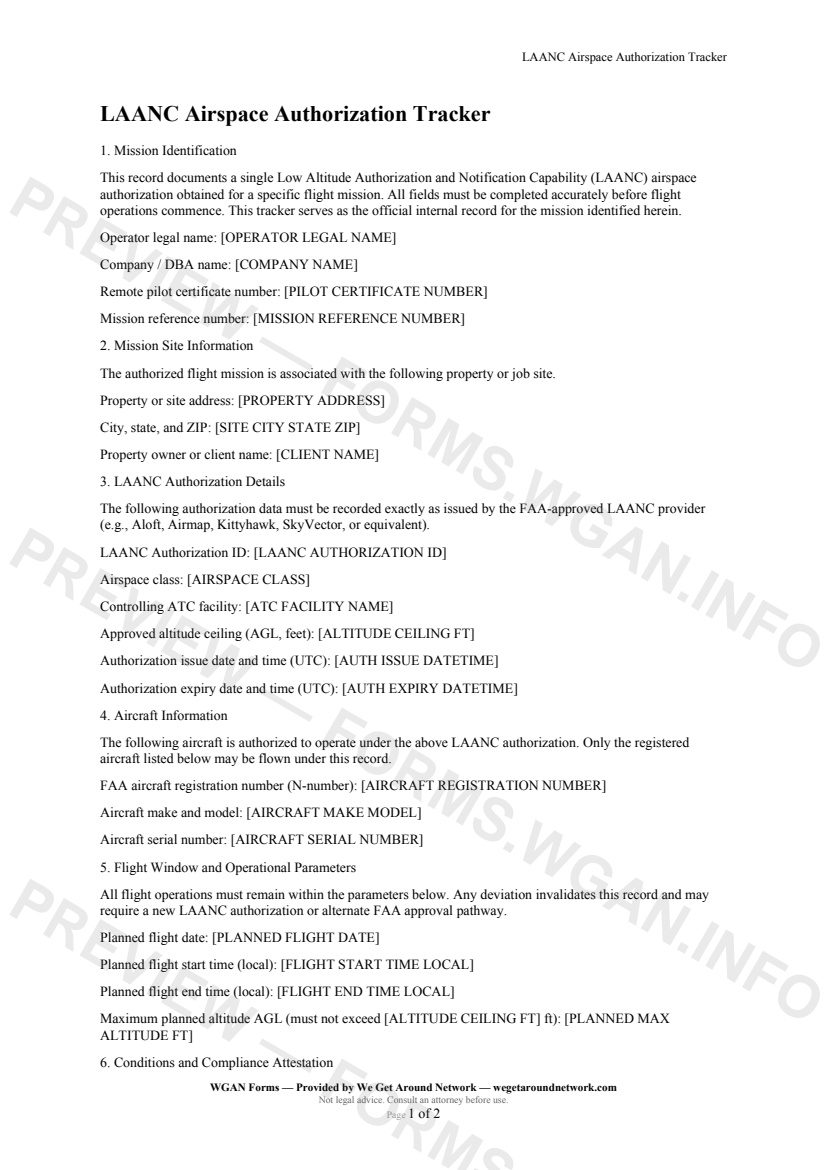
LAANC Airspace Authorization Tracker — page 1 preview covering Mission Identification, Mission Site Information, LAANC Authorization Details
Page 1
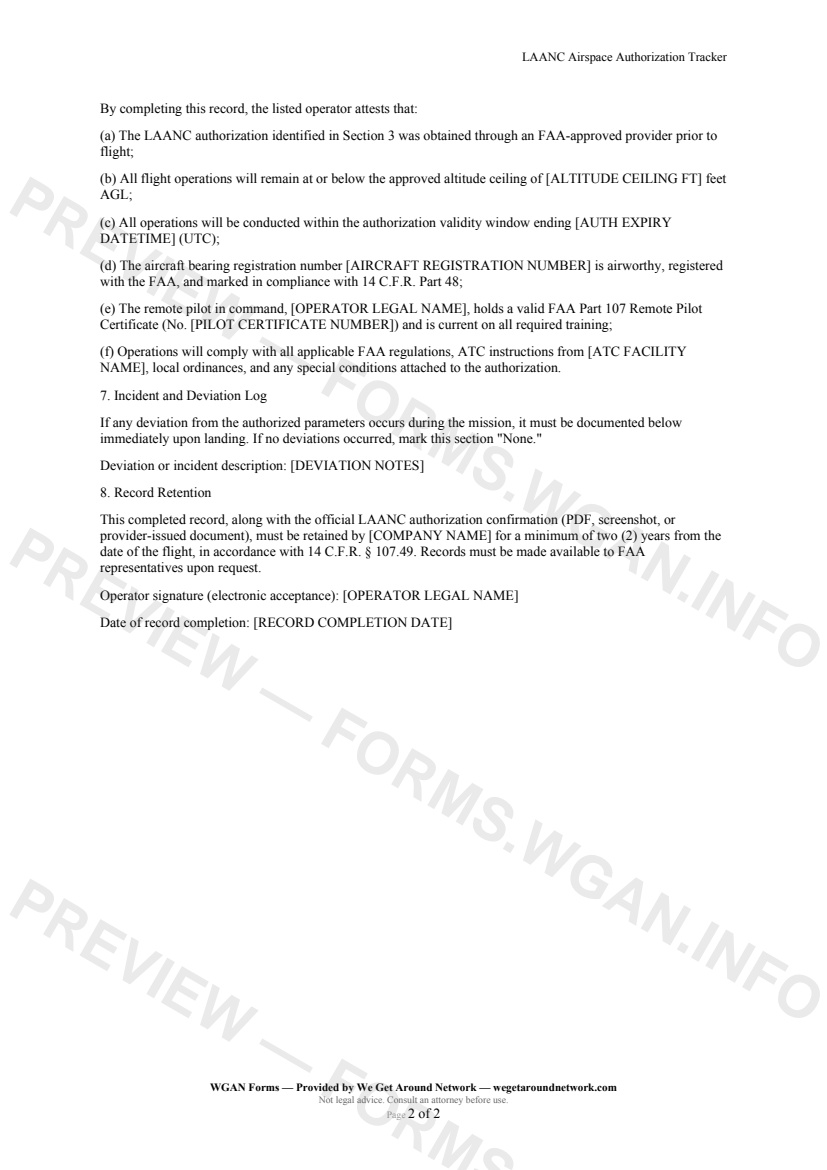
LAANC Airspace Authorization Tracker — page 2 preview covering Flight Window and Operational Parameters, Conditions and Compliance Attestation, Incident and Deviation Log
Page 2

First 2 pages shown — watermarked. Subscribe to fill out and download the unbranded document.

What this form covers

Mission Identification

Every flight record begins with your internal mission reference number, operator legal name, FAA Part 107 certificate number, and company or DBA name — giving you a clean audit trail that ties each authorization to a specific operator and job.

LAANC Authorization Details

This is the heart of the tracker. You'll capture:

  • **LAANC Authorization ID** — the exact string issued by your FAA-approved provider (Aloft, SkyVector, Kittyhawk, etc.) - **Airspace class** — Class B, C, D, or E (surface) - **Controlling ATC facility** — e.g., Denver TRACON, Austin-Bergstrom TRACON - **Approved altitude ceiling (AGL, feet)** — locked in from your approval - **Issue and expiry timestamps in UTC** — so there's no ambiguity about your legal flight window

Aircraft Information

Log the FAA N-number, aircraft make and model, and serial number for the specific drone authorized under this record. Only the registered aircraft listed may fly under this authorization.

Flight Window and Operational Parameters

Record your planned local start and end times alongside your planned maximum altitude. The form cross-references your planned altitude against the approved ceiling, reminding you that no deviation is permitted without a new authorization.

Conditions and Compliance Attestation

A structured checklist confirms that the authorization was obtained before flight, the aircraft is airworthy and properly marked under 14 C.F.R. Part 48, and the remote PIC is current on all required training — making this record ready for an FAA ramp check.

Incident and Deviation Log

A dedicated post-flight section captures any deviations from authorized parameters. If none occurred, a simple "None" entry closes out the record cleanly.

All completed records must be retained for a minimum of **two years** per 14 C.F.R. § 107.49.

Table of contents

  1. Mission Identification
  2. Mission Site Information
  3. LAANC Authorization Details
  4. Aircraft Information
  5. Flight Window and Operational Parameters
  6. Conditions and Compliance Attestation
  7. Incident and Deviation Log
  8. Record Retention

What's included

  • LAANC Authorization ID and altitude ceiling fields
  • Airspace class and controlling ATC facility logging
  • FAA aircraft registration and serial number capture
  • Authorization issue and expiry timestamp tracking (UTC)
  • Operator Part 107 certificate number verification
  • Planned flight window with local time logging
  • Planned vs. approved altitude cross-reference check
  • Post-flight incident and deviation log section
  • Two-year record retention reminder per 14 C.F.R. § 107.49
  • Compliance attestation checklist tied to FAA regulations
#laanc#airspace#faa-part-107#tracker

Fill out this form

Subscribers only

Subscribe at $19/mo (or $149/yr) to fill any form online and download the completed PDF unlimited.

Sign in to subscribeSee pricing

Related forms in Drone & Aerial Operations

Other templates capture pros use alongside this one.

See all in Drone & Aerial Operations →
Drone & Aerial Operations

Aerial Services Scope Addendum

Aerial Services Scope Addendum — WGAN 2026 form template.

View form
Drone & Aerial Operations

Post-Flight Checklist & Flight Log

Post-Flight Checklist & Flight Log — WGAN 2026 form template.

View form
Drone & Aerial Operations

No Fly Restricted Area Disclosure

A drone-operator disclosure form identifying no-fly zones, TFRs, and restricted airspace that affect a shoot, with proposed alternatives for real estate and proptech clients.

#no-fly#restricted#faa-part-107
View form
Drone & Aerial Operations

FAA Part 107 Pre-Flight Checklist

FAA Part 107 Pre-Flight Checklist — WGAN 2026 form template.

View form