We Get Around NetworkForms
Browse FormsPricingAbout
Sign inGet started
We Get Around Network

WGAN Forms

A library of business, legal, and operational templates built for real estate photographers, Matterport service providers, 3D capture specialists, and proptech professionals.

A product of We Get Around Network — the largest global community for real estate photographers and 3D capture pros.

Library

  • Browse forms
  • Pricing
  • Redeem promo code

Company

  • About
  • We Get Around Network
  • Legal disclaimer
  • Terms
  • Privacy

Disclaimer: All forms provided are templates for informational purposes only and do not constitute legal advice. Consult a qualified attorney before using any agreement in your business.

© 2026 We Get Around Network. All rights reserved.

Back to library
Job Intake & Workflow

On Site Condition Report

A pre-shoot on-site condition checklist real estate photographers complete at arrival to document staging, lighting, occupancy, and any existing damage before the shoot begins.

Last updated Jul 7, 2026

Disclaimer: This template is for informational purposes only and is not legal advice. Have a qualified attorney review it before use.

What is the On Site Condition Report?

The On Site Condition Report is a pre-shoot checklist that real estate photographers, 3D tour creators, and reality-capture professionals complete upon arriving at a property. It documents staging readiness, lighting conditions, occupancy status, utility settings, exterior conditions, and any pre-existing damage or deficiencies — all before the shoot begins. The report captures both scheduled and actual arrival times, records photographer and property identification, and closes with a client or agent acknowledgment and photographer certification.

When should you use this form?

The On Site Condition Report is used at every property arrival before any photography, 3D scanning, or drone capture begins. It is especially important when shooting occupied or partially staged homes, when a client or listing agent is not present at arrival, when drone or exterior work is planned, or when a property shows visible damage or incomplete staging that could later become a point of dispute.
What's included in this template?

  • Job identification fields: photographer, property address, scheduled vs. actual arrival time
  • Five-point staging readiness checklist with Yes / Partial / No dropdowns
  • Lighting conditions section covering interior lights, window treatments, and exterior lighting
  • Occupancy and access confirmation: occupants cleared, pets secured, room access verified
  • Utilities and equipment check: HVAC temperature, ceiling fans, and screen states
  • Exterior and drone conditions assessment
  • Issues and deficiencies log with free-text fields for condition notes and action taken
  • Client or agent acknowledgment and photographer certification signatures

How do I fill out this form?

  1. Open the form at forms.wgan.info. Navigate to forms.wgan.info and locate the On Site Condition Report in the real estate photography category, then open the online form.
  2. Enter job identification details. Fill in the photographer name, property address, scheduled start time, and actual arrival time to anchor the report to a specific session.
  3. Complete each checklist section. Work through staging, lighting, occupancy, utilities, and exterior sections, selecting the appropriate dropdown answer or entering free-text notes for each item.
  4. Document any issues noted on arrival. Use the issues and deficiencies fields to describe any pre-existing damage, incomplete staging, or inaccessible rooms, and record what action was taken or who was notified.
  5. Capture client acknowledgment and certify. Have the client or agent acknowledge the documented conditions, then complete the photographer certification section to finalize the report.
  6. Download and save the completed report. Download the finished report as a PDF from forms.wgan.info and save a copy to the job file before beginning any photography or scanning work.

Preview

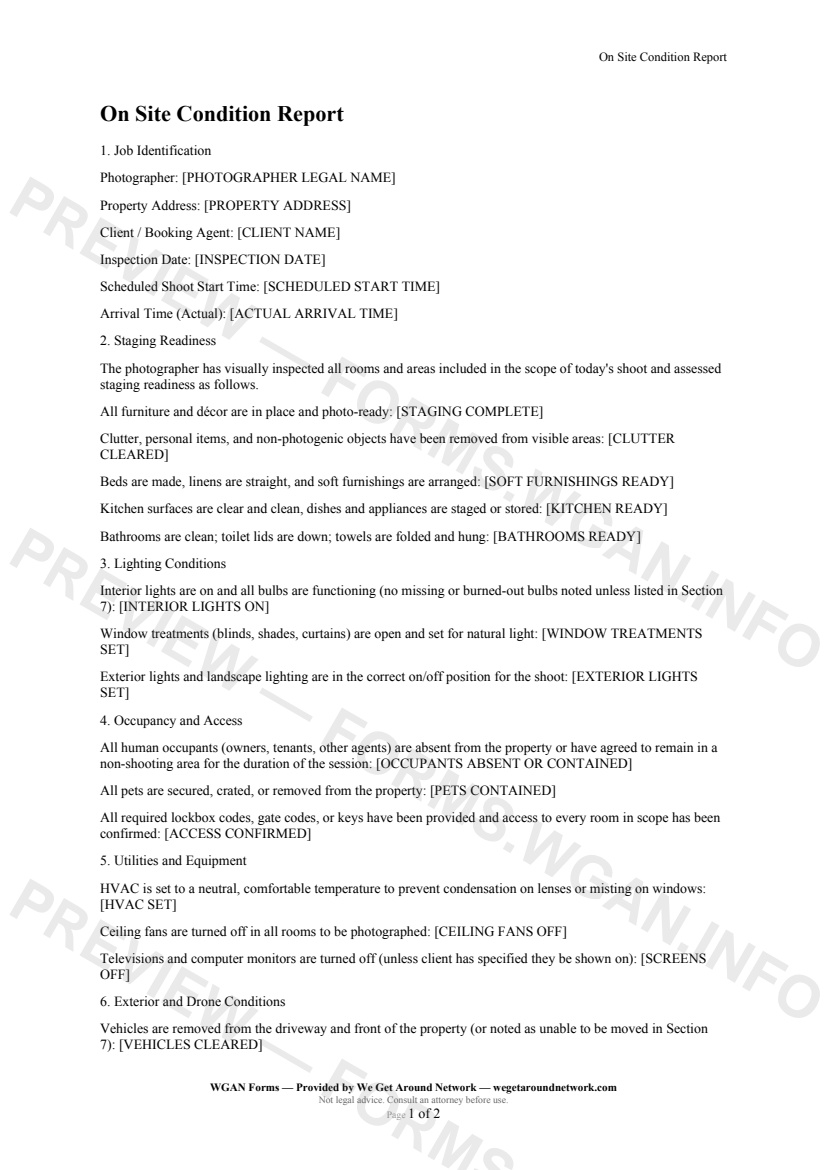
On Site Condition Report — page 1 preview covering Job Identification, Staging Readiness, Lighting Conditions
Page 1
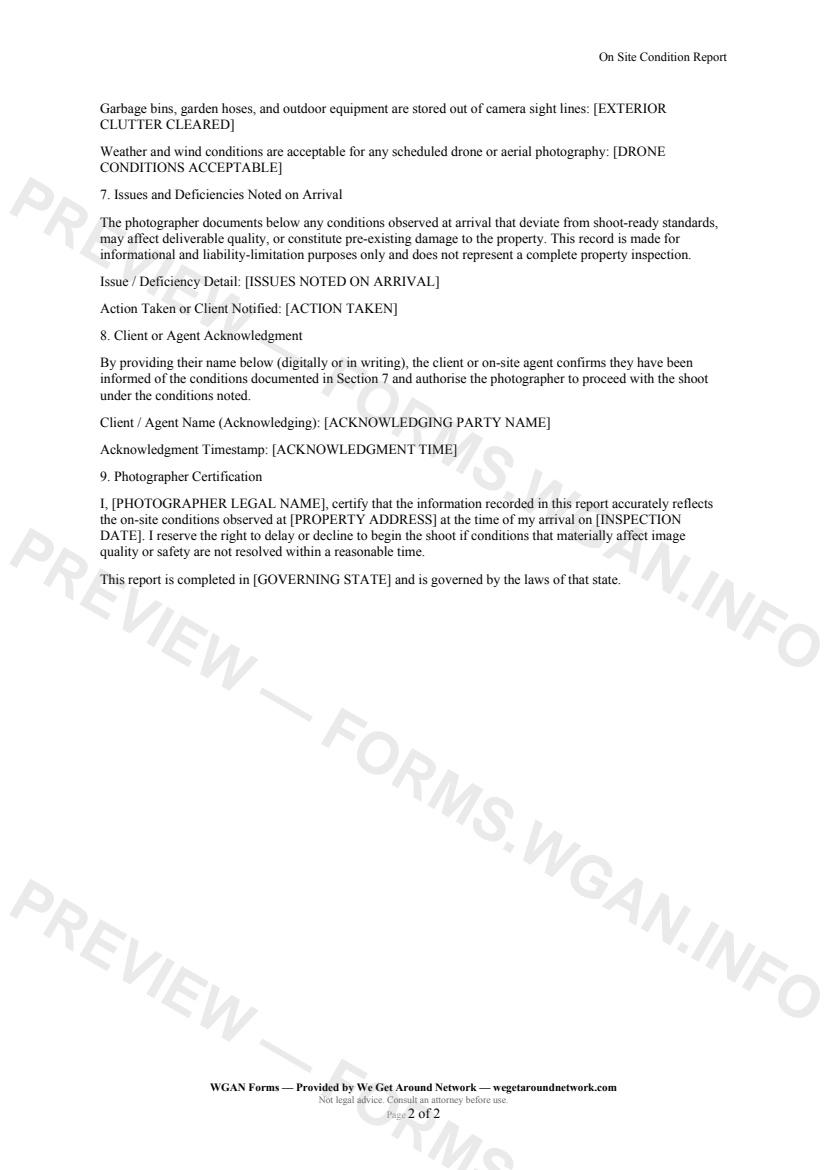
On Site Condition Report — page 2 preview covering Exterior and Drone Conditions, Issues and Deficiencies Noted on Arrival, Client or Agent Acknowledgment
Page 2

First 2 pages shown — watermarked. Subscribe to fill out and download the unbranded document.

What this form covers

Job Identification

Every report opens by anchoring the session to a specific photographer, property, and moment in time — capturing the scheduled start time alongside the actual arrival time so any gap is on the record before a single shutter click fires.

Staging Readiness

This is where the rubber meets the road. The form walks through **five distinct staging checkpoints** — furniture and décor, clutter and personal items, soft furnishings, kitchen surfaces, and bathrooms — each answered with a simple Yes / Partial / No dropdown. "Partial" is your friend here: it acknowledges reality without letting you off the hook for following up.

  • Furniture and décor in place and photo-ready - Clutter and personal items cleared from visible areas - Beds made, linens straight, soft furnishings arranged - Kitchen surfaces clear; appliances staged or stored - Bathrooms clean; toilet lids down; towels folded

Lighting Conditions

Nothing kills a real estate image faster than a blown-out window blind or a missing bulb casting a yellow shadow in the corner of a living room. The lighting section confirms interior lights are on, window treatments are open, and exterior / landscape lighting is in the correct state — with a built-in escape valve to route any anomalies straight to the Issues section.

Occupancy, Access, and Utilities

Three questions that protect you legally and practically: are occupants out of the shooting areas, are pets secured, and do you have confirmed access to every room in scope? Paired immediately with a utilities check — HVAC temperature, ceiling fans off, screens dark — so you're not discovering a spinning fan mid-HDR bracket.

Issues and Deficiencies Noted on Arrival

A free-text field to document **spills, damage, missing décor items, inaccessible rooms, or any other pre-existing condition** — followed by a matching field recording what action you took or which client contact was notified. This two-field combination is your paper trail if a client later claims you caused a scratch or left a room out.

Table of contents

  1. Job Identification
  2. Staging Readiness
  3. Lighting Conditions
  4. Occupancy and Access
  5. Utilities and Equipment
  6. Exterior and Drone Conditions
  7. Issues and Deficiencies Noted on Arrival
  8. Client or Agent Acknowledgment
  9. Photographer Certification

What's included

  • Pre-shoot staging and clutter readiness checklist
  • Interior and exterior lighting verification
  • Occupant and pet containment confirmation
  • Room-by-room access and utilities check
  • Drone and weather condition sign-off
  • Timestamped record of issues and damage found on arrival
  • Client or agent acknowledgment of noted deficiencies
  • Photographer certification with governing-state clause
#on-site#condition#report#workflow

Authoritative references

Official sources to consult when customizing this template. These supplement, but do not replace, advice from a qualified attorney licensed in your jurisdiction.

  • NIBS — National Institute of Building Sciences

    Standards and best practices for building documentation and digital twins.

Fill out this form

Subscribers only

Subscribe at $19/mo (or $149/yr) to fill any form online and download the completed PDF unlimited.

Sign in to subscribeSee pricing

Related forms in Job Intake & Workflow

Other templates capture pros use alongside this one.

See all in Job Intake & Workflow →
Job Intake & Workflow

Job Intake Sheet

Job Intake Sheet — WGAN 2026 form template.

View form
Job Intake & Workflow

QA / Delivery Checklist

A pre-delivery QA checklist for real estate photographers and 3D tour creators to verify every deliverable before sending to the client.

#qa#delivery#checklist
View form
Job Intake & Workflow

Twilight Blue Hour Request

A specialized shoot-request contract for real estate photographers covering twilight/blue-hour timing precision, extra fees, weather cancellation, and re-shoot policies.

#twilight#blue-hour#request
View form
Job Intake & Workflow

Property Access & Lockbox Details

A job-intake form listing agents complete to give real estate photographers secure, accurate property-access details before every shoot.
#property-access#lockbox#workflow
View form