We Get Around NetworkForms
Browse FormsPricingAbout
Sign inGet started
We Get Around Network

WGAN Forms

A library of business, legal, and operational templates built for real estate photographers, Matterport service providers, 3D capture specialists, and proptech professionals.

A product of We Get Around Network — the largest global community for real estate photographers and 3D capture pros.

Library

  • Browse forms
  • Pricing
  • Redeem promo code

Company

  • About
  • We Get Around Network
  • Legal disclaimer
  • Terms
  • Privacy

Disclaimer: All forms provided are templates for informational purposes only and do not constitute legal advice. Consult a qualified attorney before using any agreement in your business.

© 2026 We Get Around Network. All rights reserved.

Back to library
Internal Operations

Gear Checkout Log

An internal equipment loan log for real estate photographers and 3D tour operators to document gear checkout, condition, borrower details, and expected return.

Last updated Jul 7, 2026

Disclaimer: This template is for informational purposes only and is not legal advice. Have a qualified attorney review it before use.

What is the Gear Checkout Log?

The Gear Checkout Log is an internal equipment loan record for real estate photographers, Matterport operators, and 3D tour professionals. It documents the temporary transfer of cameras, tripods, scanning devices, and accessories from an owner to a named borrower — capturing borrower details, item serial numbers, condition at checkout, expected return date, replacement value, and borrower liability in a single structured document.

When should you use this form?

Use the Gear Checkout Log any time company-owned equipment leaves the owner's direct possession — such as lending a Matterport Pro camera to a contracted operator for a listing shoot, dispatching a second shooter with a gimbal kit, sending a lens to a repair facility, or loaning gear to a part-time employee covering a job site. It is especially useful when the borrower is not a full-time staff member and clear liability terms are needed in writing.
What's included in this template?

  • Parties and purpose clause establishing owner title retention
  • Borrower information fields: legal name, role, phone, email, and handoff location
  • Borrower role dropdown: second shooter, employee, contractor, repair shop, or other
  • Equipment list with model, serial number, accessories, and carry cases
  • Condition at checkout field and estimated total replacement value
  • Checkout date, expected return date, and return location schedule
  • Condition at return field with damage or discrepancy notation and all-items-received confirmation
  • Liability clause assigning full financial responsibility with 30-day repayment window on written demand

How do I fill out this form?

  1. Open the form at forms.wgan.info. Navigate to forms.wgan.info and locate the Gear Checkout Log template in the equipment or real estate photography category, then click to open the online form.
  2. Enter borrower and owner details. Fill in the owner's business name and the borrower's legal name, role (using the dropdown), phone number, email address, and the physical location where the gear handoff takes place.
  3. List equipment and condition at checkout. Enter each item's make, model, and serial number, note all included accessories and cases, describe the condition at checkout in plain language, and set an estimated total replacement value.
  4. Set the checkout and return schedule. Enter the date of checkout, the expected return date, and the designated return location so both the schedule section and the liability clause reflect the same agreed deadline.
  5. Complete and download the finished log. Review all fields for accuracy, then submit the form to generate the completed Gear Checkout Log. Download the PDF to print, sign, or share with the borrower before gear changes hands.
  6. Fill in condition at return when gear comes back. When equipment is returned, reopen or reprint the log, complete the condition-at-return field, note any damage or discrepancies, and confirm via the dropdown whether all items were received.

Preview

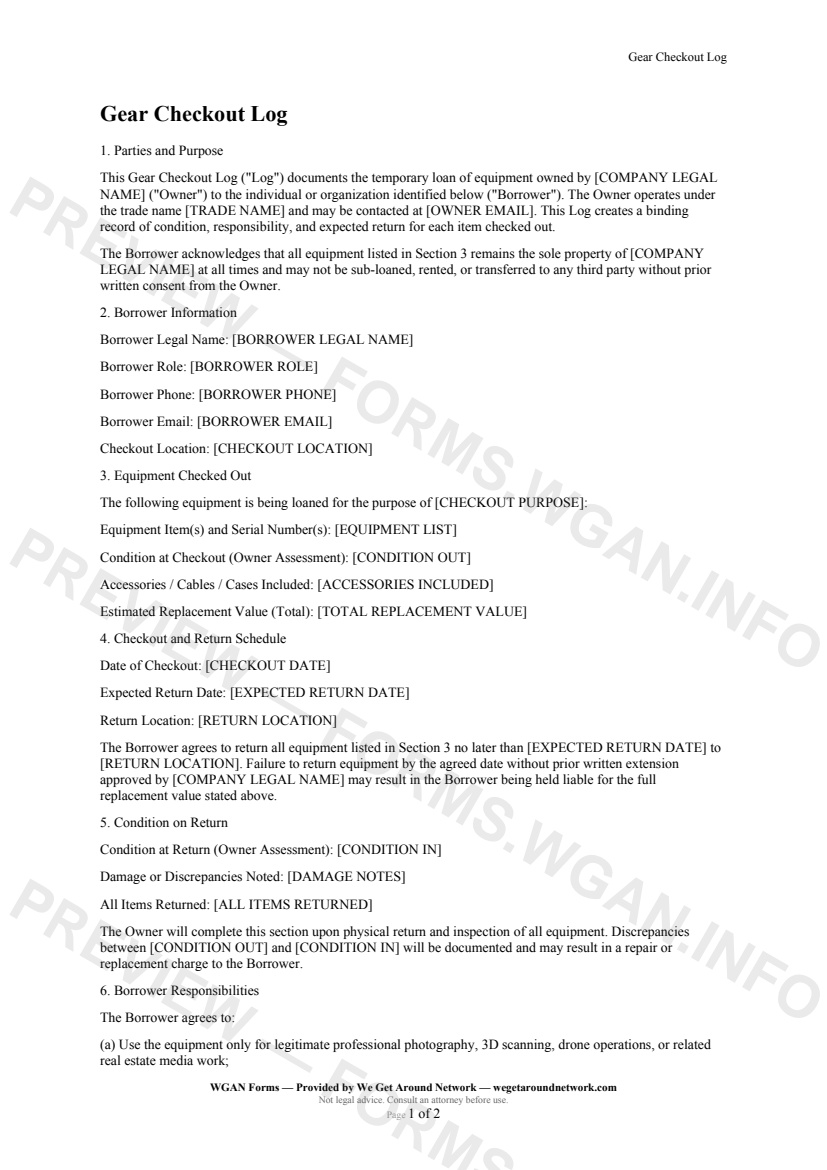
Gear Checkout Log — page 1 preview covering Parties and Purpose, Borrower Information, Equipment Checked Out
Page 1
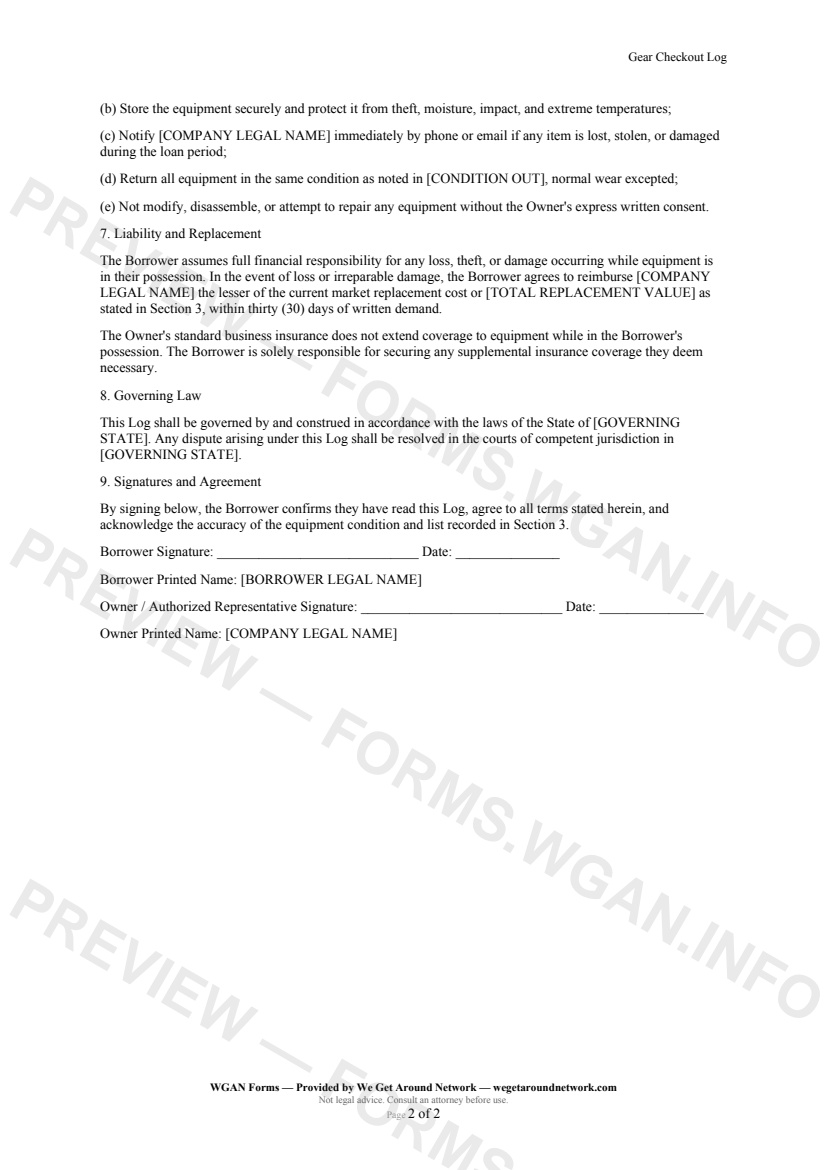
Gear Checkout Log — page 2 preview covering Borrower Responsibilities, Liability and Replacement, Governing Law
Page 2

First 2 pages shown — watermarked. Subscribe to fill out and download the unbranded document.

What this form covers

Parties and Purpose

This Gear Checkout Log documents the temporary loan of equipment owned by your company to a named Borrower — whether that's a second shooter, an employee heading to a listing, a contracted Matterport operator, or a repair facility. The Owner retains title to all items at all times, and the Log makes that crystal clear from the first paragraph.

Borrower Information

Capture the Borrower's legal name, role, phone, email, and the physical location where the handoff takes place. The **Borrower Role** field offers a dropdown — Second shooter, Employee, Contractor, Repair shop, or Other — so your records always reflect the exact relationship.

Equipment Checked Out

  • List every item by model and serial number in a free-text field - Record all accessories, cables, and carry cases included in the loan - Note the **Condition at Checkout** in plain language before the gear leaves your hands - Set an **Estimated Total Replacement Value** so liability expectations are explicit

Checkout and Return Schedule

Specify the **Date of Checkout**, the **Expected Return Date**, and the exact return location. The form references the return date twice — once in the schedule section and again in the liability clause — so there is no ambiguity about the deadline.

Condition on Return

When the gear comes back, the Owner fills in the **Condition at Return** field and notes any damage or discrepancies. A simple Yes / No dropdown confirms whether all items were received. Any gap between condition-out and condition-in is documented and can support a repair or replacement charge.

Liability and Replacement

The Borrower accepts full financial responsibility for loss, theft, or damage while the equipment is in their possession, up to the replacement value declared at checkout — with a 30-day repayment window on written demand.

Table of contents

  1. Parties and Purpose
  2. Borrower Information
  3. Equipment Checked Out
  4. Checkout and Return Schedule
  5. Condition on Return
  6. Borrower Responsibilities
  7. Liability and Replacement
  8. Governing Law
  9. Signatures and Agreement

What's included

  • Borrower identification and role (employee, contractor, repair shop)
  • Itemized equipment list with serial numbers and accessories
  • Condition-out assessment at time of checkout
  • Condition-in assessment upon return with discrepancy field
  • Expected return date and return location fields
  • Borrower liability clause covering loss, theft, and damage
  • Total replacement value field for financial accountability
  • Governing law and jurisdiction clause
  • Dual-signature block for owner and borrower
#gear#checkout#log#internal

Fill out this form

Subscribers only

Subscribe at $19/mo (or $149/yr) to fill any form online and download the completed PDF unlimited.

Sign in to subscribeSee pricing

Related forms in Internal Operations

Other templates capture pros use alongside this one.

See all in Internal Operations →
Internal Operations

W-9 Collection Form

An internal cover sheet and tracking checklist real estate photographers use to collect, log, and file W-9 tax forms from subcontractors, second shooters, and vendors for accurate 1099 reporting.

#w9#tax#internal
View form
Internal Operations

Internal Incident Damage Report

A structured internal incident and damage report for real estate photographers, drone operators, and 3D tour providers to document equipment damage, property damage, or safety incidents during a shoot.

#incident#damage#report
View form
Internal Operations

Mileage Log

IRS-compliant personal-vehicle mileage log for real estate photographers and proptech professionals to track business-travel deductions year-round.

#mileage#log#tax
View form
Internal Operations

Employee Contractor Onboarding Checklist

A step-by-step internal onboarding checklist for real estate photography businesses hiring second shooters, editors, or admin staff — covering paperwork, equipment, access, and first-shoot pairing.

#onboarding#employee#checklist
View form